⚠️ 18+ only. Gambling involves risk and may not be legal in your country. Check local laws, set deposit limits and play responsibly.
How to Register at WinWin Bet: Step-by-Step Account Guide
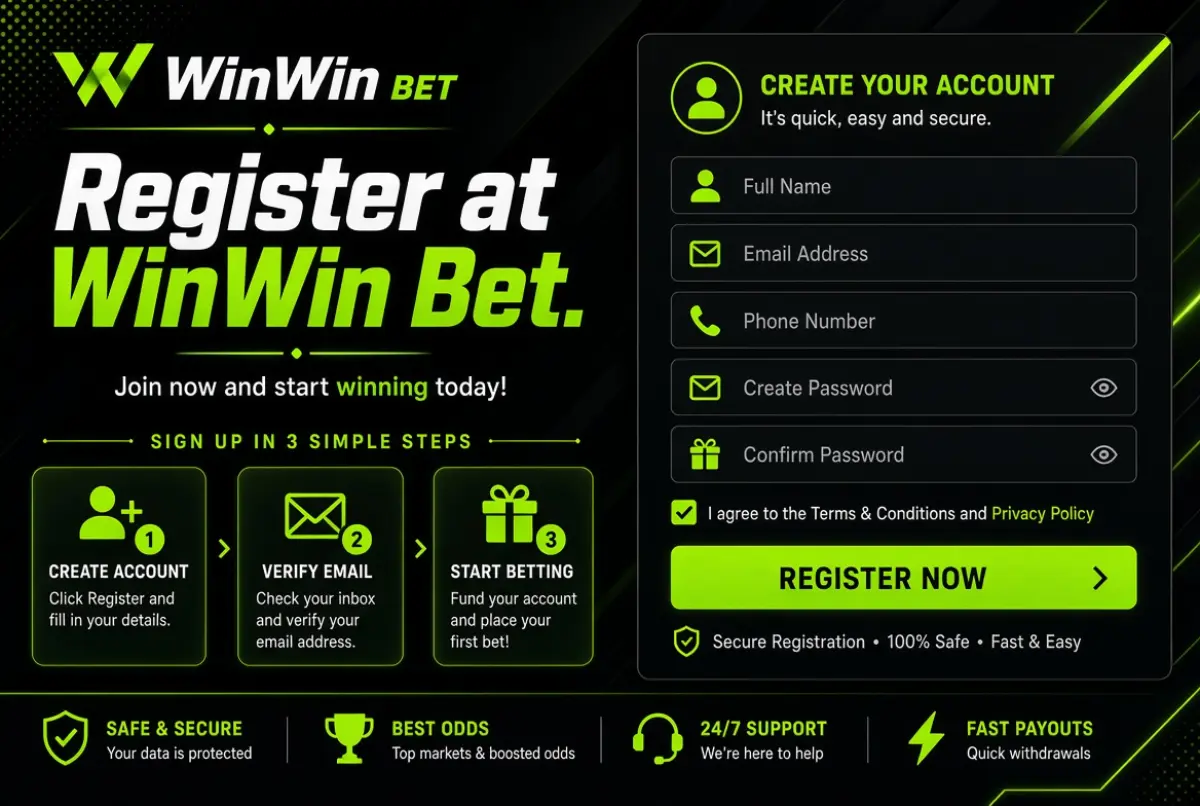
WinWin Bet is an online sports betting and casino platform, and opening an account takes about two minutes through a phone number, an email address or the one-click option. Registration is free, you pick your currency and welcome bonus on the same form, and you can start exploring the sportsbook and the online casino immediately. Full withdrawals require identity verification (KYC), which usually takes 24-72 hours once your documents are uploaded.
This guide walks you through every stage: choosing a method, filling in the form, logging in, passing verification, resetting a forgotten password and solving the most common signup errors. If you want the bigger picture first, read our WinWin Bet review and come back here when you are ready to create the account.
WinWin Bet Registration Process
The WinWin Bet registration process has three parts: creating the account, choosing a welcome bonus and verifying your identity. The first two happen in a single form and take around two minutes, while verification can wait until you want to withdraw. Registration is free of charge, and you need to be at least 18 years old, or older if your local law sets a higher limit.
Here is the process in one view.
| Stage | What you do | Time needed |
|---|---|---|
| 1. Account creation | Pick a method, enter details, choose currency | About 2 minutes |
| 2. Bonus selection | Choose the sports or casino welcome bonus, add a promo code if you have one | Under 1 minute |
| 3. First deposit | Fund the account to activate the bonus | A few minutes |
| 4. KYC verification | Upload photo ID and proof of address | 24-72 hours processing |
Think of verification as a standard anti-fraud check used by every licensed bookmaker. WinWin Bet operates under Curacao licence No. 1668/JAZ and uses SSL encryption, so your documents travel through a protected connection. Submitting them early is the single best way to avoid waiting on your first payout.
Registration Methods (Phone, Email, One-Click)
WinWin Bet offers three signup methods: phone number, email address and one-click registration. Phone signup is the fastest way to get an account confirmed by SMS, email signup suits players who want newsletters and receipts in their inbox, and one-click creates an account instantly with a generated ID and password. All three give you the same sportsbook, casino and bonus access.
| Method | Details you provide | Best for | Watch out for |
|---|---|---|---|
| Phone | Phone number with country code, password | Mobile players who want SMS confirmation | Use a number you can always access |
| Email address, password | Players who prefer written confirmations | Check spam if the message is delayed | |
| One-click | Currency and country only | Quick access, testing the platform | Save the generated ID and password immediately |
If you intend to play for more than a few sessions, we recommend the phone or email option. One-click accounts are convenient, but recovery is harder if you lose the generated credentials, because there is no phone number or email attached for a reset link. You can add contact details later in your profile, which restores the standard recovery route.
Step-by-Step Registration Guide
To register at WinWin Bet, open the official site, click the Register button, choose a method, enter your details, select a currency, add an optional promo code, pick a bonus and confirm. The sequence below follows the signup form exactly, so you will not miss a field.
- Visit winwin.bet. Type the address into your browser or open the mobile app. Avoid links from unknown messages, which may lead to copycat pages.
- Click Register. The button sits in the top corner of the homepage and in the app menu.
- Choose your method. Select phone, email or one-click.
- Enter your details. Provide your phone number or email, then create a strong password with letters, numbers and a symbol.
- Select your currency. Choose the currency you plan to deposit in, since it is tied to the account.
- Enter a promo code (optional). Type the code exactly as published in the dedicated field. Affiliate sources list NEWBONUS. See our page on how to use a promo code for details.
- Choose your bonus type. Pick the sports welcome bonus or the casino package. The two cannot be chosen together, so decide before you confirm.
- Confirm. Tick the age and terms checkboxes and press the confirmation button. Enter the SMS or email code if requested.
Choosing Between the Sports and Casino Bonus
The bonus choice matters more than most new players realise. The sports bonus is 100% up to EUR 100 with 5x wagering in accumulators of 3+ events and minimum odds of 1.40. The casino package gives up to EUR 400 plus 150 free spins across four deposits, starting with a EUR 5 minimum. If you mostly bet on football or cricket, choose sports. If you plan to spin slots from Pragmatic Play or play live tables, choose casino. Our page on how to claim your welcome bonus compares both in detail.
Choosing Your Currency Wisely
Your account currency should match the payment method you will use. Depositing in a different currency usually triggers conversion by your bank, card issuer or exchange, which can reduce the amount you receive. Mobile money users in Bangladesh, Kenya or Egypt should look at the local currency options first, while crypto users can choose a currency that avoids needless swaps. Because the currency is fixed at signup, think about this step for a moment rather than clicking through.
Registering Through the Mobile App
You do not need a computer to sign up. The same form is available inside the app and in the mobile browser, with identical fields and bonuses. Android users install the APK from the official site, and iPhone users add the web app through Safari. The guide on how to register through the mobile app covers installation and first launch.
Sports betting and online casino in one account.
Visit Official SiteHow to Log In to WinWin Bet
Logging in takes three or four quick steps: open winwin.bet or the app, press Login, enter your credentials and confirm. You can sign in with the phone number or email used at registration, or with the ID generated by one-click signup. The same credentials work on desktop, mobile browser and the app.
- Open winwin.bet or launch the app.
- Click Login in the top corner.
- Enter your phone number or email and your password.
- Press the confirmation button, and type the verification code if the system asks for one.
In the app, you can also enable fingerprint or Face ID so you no longer need to type the password every time. Avoid saving passwords in shared browsers, and always log out on devices that other people use. If the login page looks different from usual or asks for unexpected details, close it and type the official address manually.
Staying Safe While Logged In
Treat your betting account like online banking. Use a unique password that you do not reuse elsewhere, keep your phone and email secure, and never share verification codes with anyone, including people who claim to be support staff. Genuine support will never ask for your password. If you suspect someone else has access, change the password immediately and contact support through live chat.
Account Verification (KYC)
KYC (Know Your Customer) is the identity check that confirms who you are before the first withdrawal, and WinWin Bet processes documents in 24-72 hours. You need a photo ID and a proof of address. Verification protects your funds, prevents underage play and fulfils anti-money-laundering obligations that apply to every licensed online casino and sportsbook.
Documents you need
- Photo ID: a passport, national ID card or driving licence, showing your full name, date of birth and photo
- Proof of address: a recent utility bill, bank statement or official letter showing your name and current address
How to submit documents
- Log in and open your profile or verification section.
- Upload a clear photo or scan of your ID, front and back where required.
- Upload your proof of address.
- Wait for the confirmation message, which usually arrives within 24-72 hours.
| Document | Accepted examples | Common rejection reason |
|---|---|---|
| Photo ID | Passport, national ID, driving licence | Blurred image or cropped corners |
| Proof of address | Utility bill, bank statement | Document too old or name mismatch |
Photograph documents in good light, on a flat surface, with all four corners visible. Make sure the name matches the one on your account, because mismatches are the most frequent cause of delay. If verification takes longer than 72 hours, contact support at [email protected] and include your account ID.
How to Reset Your Password
If you forget your password, you can reset it from the login screen in under three minutes. Click the forgot-password link, enter the phone number or email linked to the account, and follow the code or link sent to you. Then create a new password and log in with it.
- Open the login form and click Forgot password.
- Enter your registered phone number or email.
- Type the code you receive by SMS or the link in the email.
- Set a new password and confirm it.
- Log in with the new credentials.
Choose a password you have not used before, with at least eight characters and a mix of letters, numbers and symbols. If you registered through one-click and did not add a phone or email, the automatic reset is unavailable. In that case, write to [email protected] or open live chat, explain the situation and be ready to prove ownership through verification documents.
Sports betting and online casino in one account.
Visit Official SiteCommon Registration Problems & Solutions
Most registration problems come from typing errors, expired codes, blocked messages or restrictions tied to your location. The table below lists the most frequent issues and their fixes, so you can solve them without waiting for support.
| Problem | Likely cause | Solution |
|---|---|---|
| SMS code does not arrive | Wrong number, poor signal, carrier delay | Check the number format with country code, wait a minute and request a new code |
| Confirmation email missing | Spam filter or typo in the address | Check the spam folder, confirm the address, request a new message |
| Promo code not accepted | Typo, expired code or code entered after signup | Re-type it exactly, and enter it only on the registration form |
| Cannot select a currency | Browser glitch or region limit | Refresh the page, try another browser or contact support |
| Site does not load | Local network or provider restrictions | Check your connection, try mobile data and use only the official address |
| Verification rejected | Blurry photo, mismatched name | Upload new, clear images with matching details |
| Duplicate account warning | An account already exists for your phone or email | Log in or reset the password rather than registering again |
One rule is firm: each person may hold only one account. Creating duplicates can lead to blocked withdrawals and cancelled bonuses. If you cannot access an old account, solve that through support instead of opening a new one.
FAQ
Yes. Creating an account costs nothing, and you only spend money when you choose to deposit. The first deposit unlocks the welcome bonus you selected, starting from EUR 5 for the casino package. Before making that payment, read the bonus terms and see the page on how to make your first deposit so you know the limits and methods available in your country.
KYC processing usually takes 24-72 hours after you upload a clear photo ID and a proof of address. Delays occur when images are blurry or details do not match the account. You can play before verification, but you will need it completed before withdrawing, so we advise uploading the documents right after your first deposit.
The currency is selected during registration and linked to the account, so it generally cannot be changed afterwards. If you need another currency, contact support to discuss the options, but do not open a second account, as duplicate accounts are not allowed. Pick the currency that matches your payment method from the start.
No. The promo code field is part of the registration form, and codes must be entered there. If you forgot it, contact support immediately after registration and before depositing, and ask whether anything can be done. Affiliate sources list the code NEWBONUS for new accounts.
Use the forgot-password link and reset through your phone or email. If you used one-click signup and did not save the generated ID and password, contact support at [email protected] with as much account detail as possible. Adding a phone number or email to your profile after signup prevents this problem in future.
You can usually register, deposit and place bets first, but KYC is required before a withdrawal. Uploading your photo ID and proof of address early avoids a delay at the moment you want your winnings. Completing verification also strengthens account security.
WinWin Bet is operated by ALASIA SOFT B.V. under Curacao licence No. 1668/JAZ and uses SSL encryption to protect data in transit. You can strengthen safety by using a unique password and never sharing codes. Upload documents only through your official account, never through email links or messages from unknown senders.
Last updated: November 2026. Verification times and available features may change, so confirm current details on winwin.bet. 18+. Gamble responsibly.